Multiple and End Tangencies
The GCE geometric solver supports multiple tangencies, i.e. it is possible to set two or more tangency constraints for one pair of curves if these curves include splines or parametric curves. Fig. 1 shows a horizontal line and a spline with two set tangency constraints that have various tangency points.
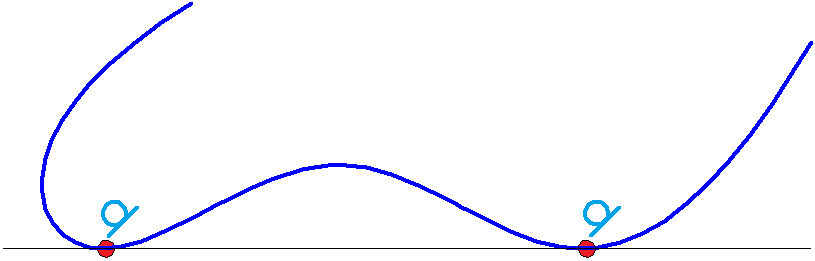
Fig. 1
Please note that in the case, if the tangency pair contains only analytical curves (line, circle, ellipse), it is possible to set only one tangency constraint for the same pair.
End tangency with G1 continuity is a specific example of tangency when a spline is involved, if the tangency point coincides with one of the spline ends. In parametric drawing, the end tangencies create smooth joints of two curves with G1 type continuity. Fig. 2 shows smooth joints of a spline with other curves.
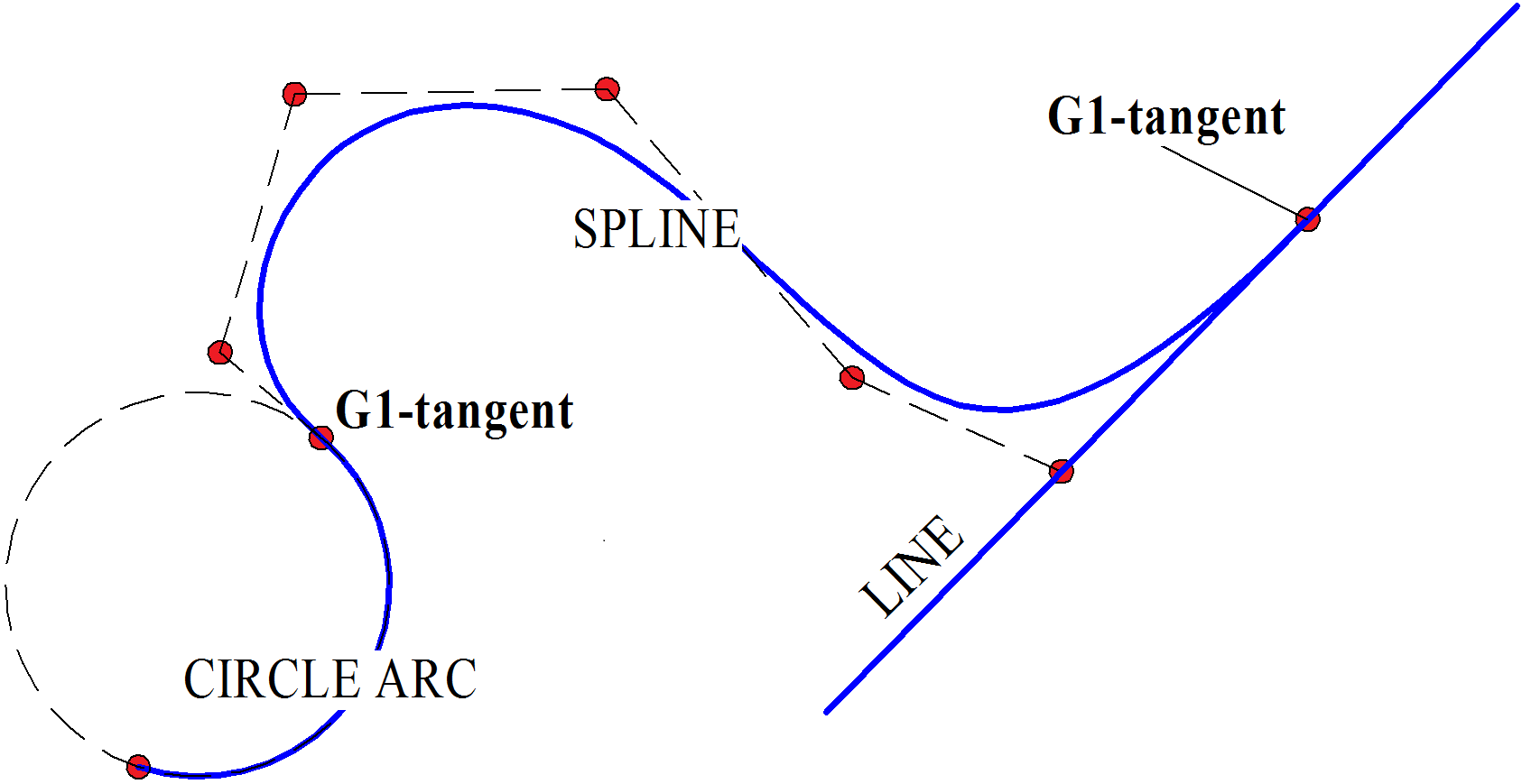
Fig. 2
The GCE_AddTangent() method considers an end tangency of a non-closed spline, as a special case, and automatically adds to the tangency a condition that spline end point belongs to other tangency curve. Therefore, in general a tangency point can freely move along a spline, but in end tangency case the tangency point is attached to one of the spline ends.
You can create end tangency using one of the following methods:
Pass spline auxiliary parameter tPar[splineIdx] equal to the parameter of spline start or end to the GCE_AddTangent() method.
Call the GCE_AddTangent() method without an auxiliary tangency parameter, i.e. tPar[splineIdx]=GCE_NULL_V, but spline tangency endpoint should lie on other tangency curve. This condition can be provided at the moment when the spline is created, or preliminarily provide coincidence of the spline end with other curve by calling GCE_AddIncidence and then call GCE_Evaluate.