Natalia Yakovleva, software engineer, C3D Labs, talks about what's new in the C3D Vision and C3D Viewer products.
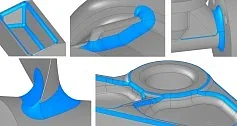
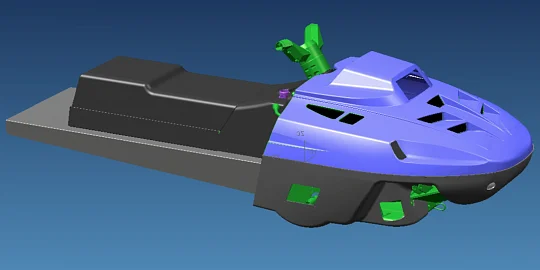
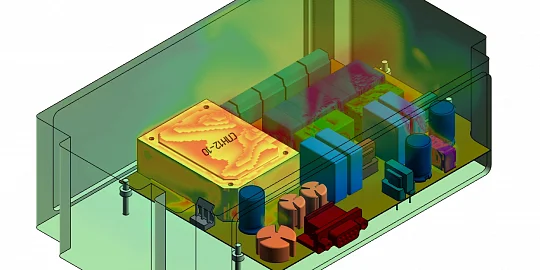
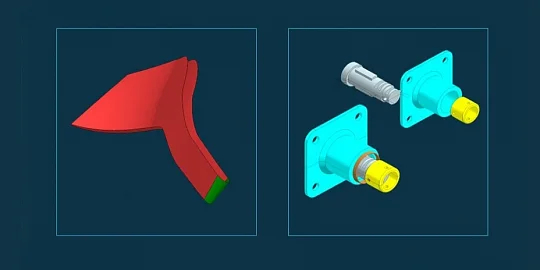
C3D Vision is a high-performance engineering visualization library. It renders CAD 3D models on PCs (Fig. 1). The library visualizes polygonal geometry, provides an API for handling 3D models, supports a hierarchical structure of visual objects, and performs geometry transformations.

Fig. 1. Visualizations created with C3D Vision
Let's take a closer look at the C3D Vision updates. We have redesigned the integration and geometry representation modules. The result is Mbvision, a new open-source module that links the Modeler module objects and visualization tools (Fig. 2). It includes a scene generation procedure that uses the customized MX Model Extension. We added the module to address user requests for object filtering and custom scene generation procedures. Now the user controls which objects to include in the scene, and how.

Fig. 2. Mbvision module
As to the rendering functionality, we’ve improved performance, introduced better transparency rendering, and text output procedures. We have significantly improved scene rendering performance. First, we optimized the draw call batching, resulting in a significant performance gain.

Fig. 3a. Better Rendering Performance. A model shaded without edges

Fig. 3b. Better Rendering Performance. A model shaded with edges
We have tested the new procedure with highly complicated models. The previous procedure could not visualize a 45-million-triangle scene at more than 4 frames per second (fps), even with Pixel Culling enabled and edges hidden. The new procedure shows a performance gain of up to 30–35 fps when rendering scenes without edges, and 19–25 fps with edges (Fig. 3). A slight decrease in performance occurs only when a scene screenshot is captured and saved as a GIF file.

Fig. 4. Transparency in rendering
To improve performance and visualization quality, we have added a new transparency rendering procedure (Fig. 4). The previous Pixel Culling method created realistic images even with a lot of highly transparent objects. It also managed the number of layers. However, it had some performance issues. To balance quality and performance, we have implemented a simpler procedure called Weighted Average Blending. It offers high speed and supports smoothing.

Fig. 5. Text output with and without the SDF technology. 14 pt font size, 72 pt font size
We have also updated the text output system. The legacy technology did not provide the expected quality and performance, so we switched to Signed Distance Field (SDF). The new technology noticeably improves the readability of text in a wide range of font sizes (Fig. 5).
We have also improved the lighting and the visual markup tool ("red pencil"). Now it is possible to control the light source position. It can be either static or linked to the model. Soft shadow edge fuzziness is now configurable. We have expanded the Markup tool. Now you can add not only text, but also circles and ellipses.
We are working on more code examples of the Vision functionality. In the future, we will implement a new approach to the code examples to make it easier for users to write challenging code. We will also create test scenes to check the functionality.
Our priority tasks for the year include: further improvements to rendering performance; rendering the mouse pointer directly in the view area; better code examples; support for 2D curves and sketch mode; enhancements to existing tools; and adding new ones, such as a coordinate conversion tool.
Now, about C3D Viewer. This is a user-friendly 3D viewer built on C3D Vision and other components from C3D Toolkit: Solver, Modeler, and Converter. It supports geometry import and export and offers a range of model management tools, camera navigation, and performance settings for viewing large models.
The corporate version of C3D Viewer includes an embeddable component. It also provides an extensive API. This is the best choice for developers who need to embed model visualization and basic scene control tools into their applications. Integrating the component does not require in-depth knowledge of rendering or 3D model formats and takes virtually no time.
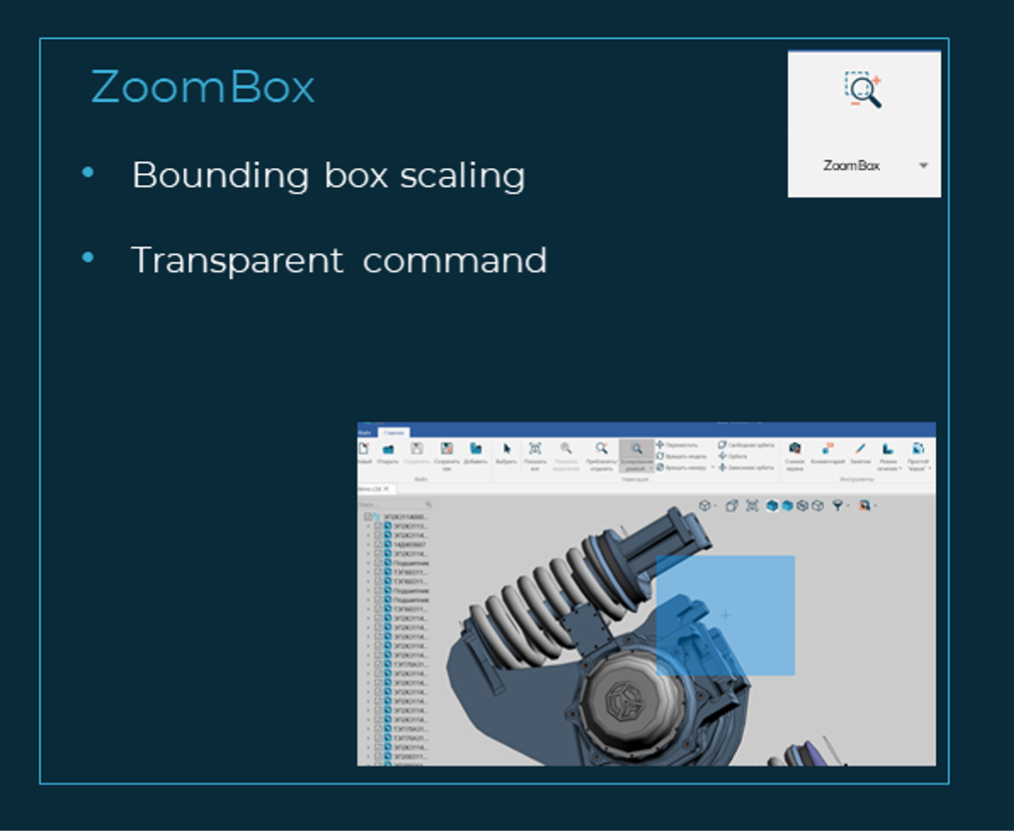
Fig. 6. The Zoombox tool
We have added a number of new C3D Vision tools to C3D Viewer. One of them is Zoombox. With it, you can quickly zoom in on the area of interest selected by a bounding box (Fig. 6). The tool works as a transparent command and is particularly useful for viewing large models.

Fig. 7. The Markup tool
Markup, another new tool, adds annotations to models (Fig. 7). You can configure the line color and thickness. There are six types of annotations. One of them is a textbox with a customizable font style and size. Annotations can be saved to a table, renamed, deleted, and exported in the SVG format. You can also import annotations from a file. It is a great tool to annotate parts and assemblies.

Fig. 8. Visualization of general notes

Fig. 9. Visualization of the majority surface finish symbol
Our customers who use the C3D Viewer embedded component with KOMPAS-3D CAD have long needed a tool to visualize PMIs. The MB-PMI format is used to represent geometry and PMIs. PMIs are read-only, but you can view them in C3D Viewer. First, we implemented the visualization of general notes (Fig. 8) and the majority surface finish symbols (Fig. 9). They are rendered in a transparent window overlapping the scene. The window features a customizable toolbar just like in KOMPAS. In this way, PMIs are conveniently displayed regardless of any scene manipulations.
The latest C3D Viewer versions also represent model versions as a tree, similar to the version tree in KOMPAS-3D. Previously, they were displayed as a simple list, which made navigating across many versions difficult.
We have improved both appearance and functionality. Now you can select and open multiple files at once. We have also enhanced the installer: the process of installing or upgrading has never been easier. The performance and stability are also much better now.

Fig. 10. Dark theme

Fig. 11. Body visibility filter

Fig. 12. Configurable Selection tool
Upon the application launch, the logo is displayed in the center of the window. The updated ribbon has a modern look and feel. We also improved the dark theme available in the settings. Now it looks better and even more suitable for long hours at the screen (Fig. 10). There is a new body visibility filter. With it, you can hide objects of a certain type, such as annotations (Fig. 11). The selection tool now has settings to select only certain model elements, for example, edges (Fig. 12). We have expanded the available isometric projections for more convenient scene orientation control.
Another key trend of the C3D Viewer development is adding support for more operating systems. Besides Windows, Ubuntu, Debian, and Astra Linux, which are already available, RedOS and Alt Linux releases are coming soon. We will add more scene settings, like the lighting parameters. The measurement functions will become more advanced.
We are also working on new plugins to complement the basic C3D Viewer functionality. The plugins will move model objects and edit material properties. The new releases will also include all the latest features of the C3D Toolkit modules on which C3D Viewer is based.

Natalia Yakovleva,
Software engineer,
C3D Labs