Ksenia Prokofieva, Head of C3D Converter Development, C3D Labs, talks about updates and plans for the C3D Converter module.
Until recently, C3D supported only CAD-neutral data exchange formats such as SAT, STEP, Parasolid, etc. Since 2020, we’ve been adding proprietary formats, initially using third-party solutions. Starting in 2023, we switched to in-house solutions (Fig. 1).
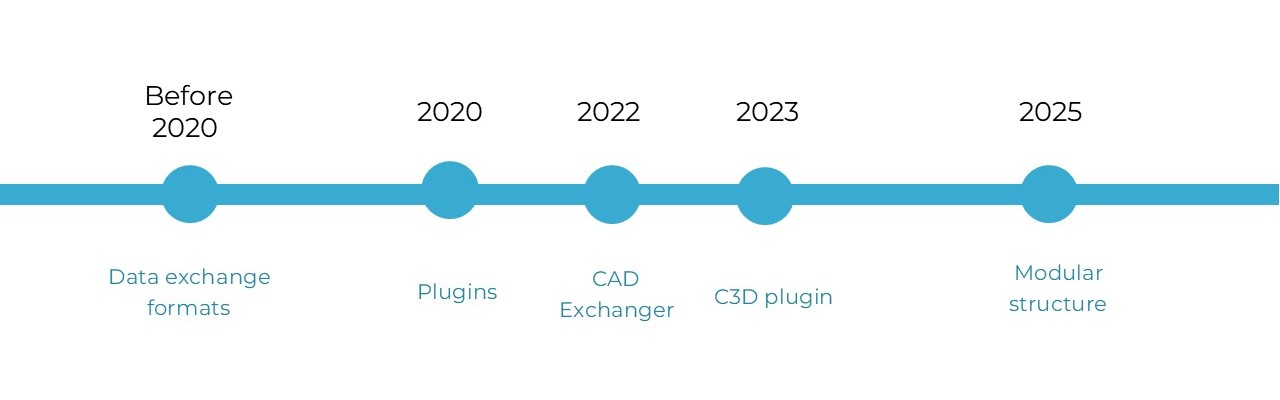
Fig. 1. C3D Converter milestones
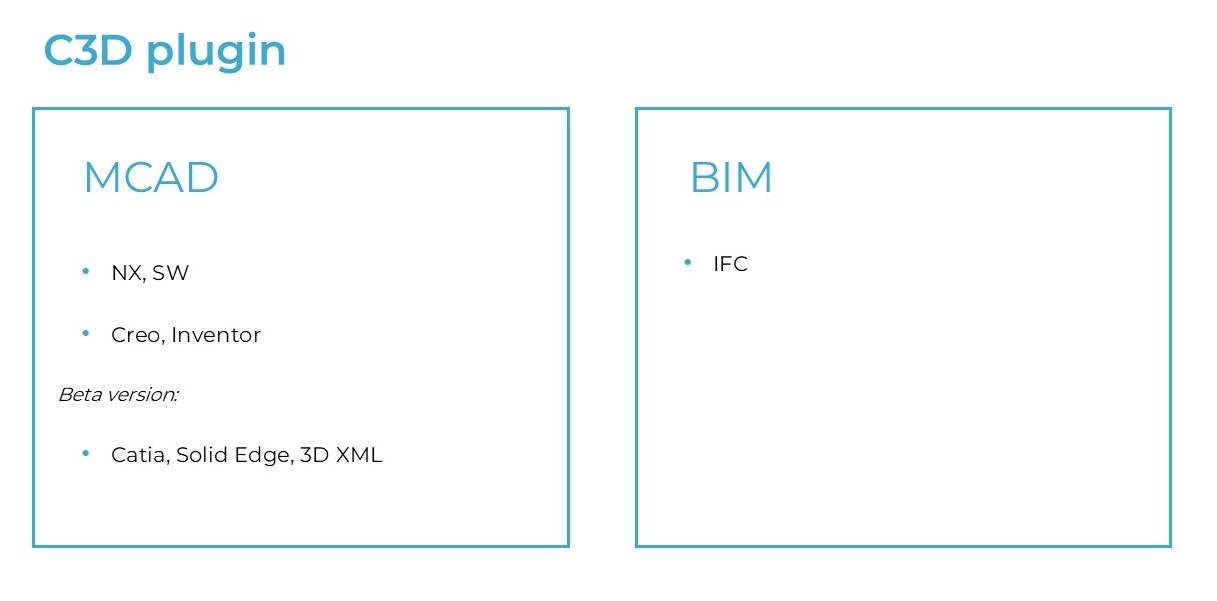
Fig. 2. Supported formats
Today, our converters support a wide range of proprietary file formats (Fig. 2). Some, such as CATIA and Solid Edge, are currently available as a beta version only, but will be fully supported soon.
Connecting converters is now much easier: instead of configuring paths to the libraries, entering a license key, and manually managing resources (Fig. 3, a), now there is an all-in-one ImportFromFile function (Fig. 3, b). All the user needs to do is save the proprietary format libraries in the same folder as the C3D kernel. This new approach works both in Windows and Linux environments.
For interface optimization, we’ve reduced many functions to just two: ImportFromFile and ExportIntoFile. Format-specific methods are now obsolete and will be removed shortly. The new arrangement may seem simple, but the converter's functionality is not limited to these two functions — more on that below.
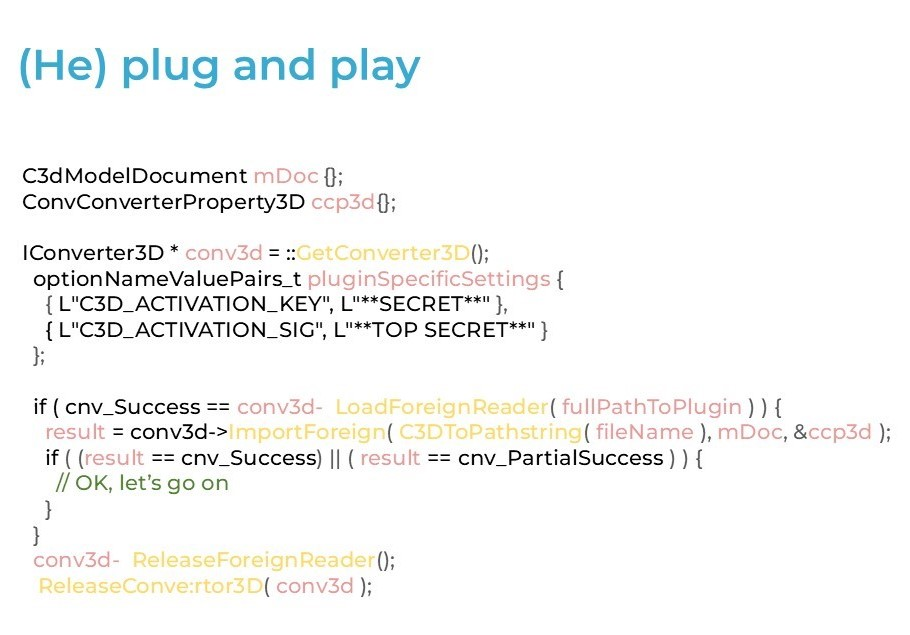
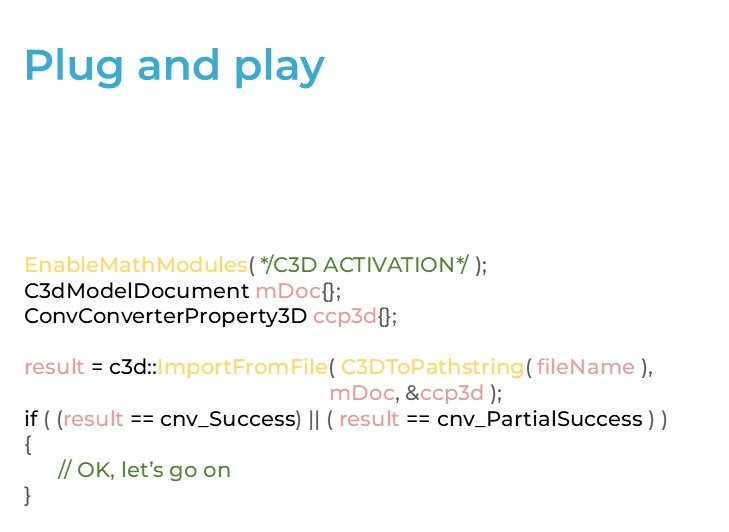
Fig. 3. Old (a) and new (b) plugin connection methods
To support construction CAD formats, we’ve implemented some modifications, as some data types did not fit well into the conventional geometric model.
One of the new types is reusable objects. They are similar to conventional component addition to an assembly, but there are fundamental differences. A component added to an assembly is a fully-featured part with its attributes and status. Reusable objects are some geometry that is reused in the model, but they are not treated as individual components. Examples of such objects are walls, windows, or entire floors. They can be nested. Such objects are positioned in the local coordinate system.
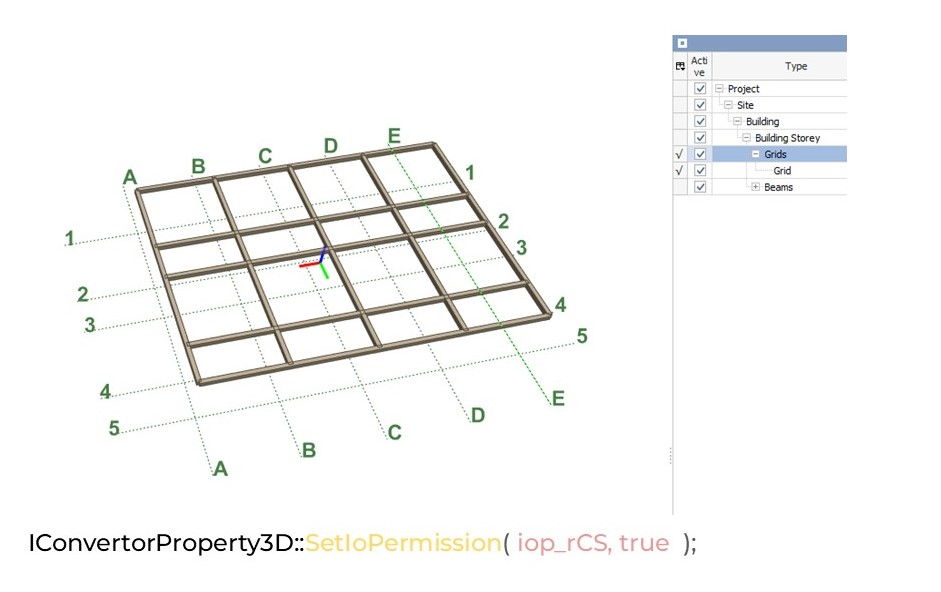
Fig. 4. Grids
Another new object type is grids — named flat curves shown in Fig. 4. You can disable their import using the standard filter in the SetIoPermission() function.
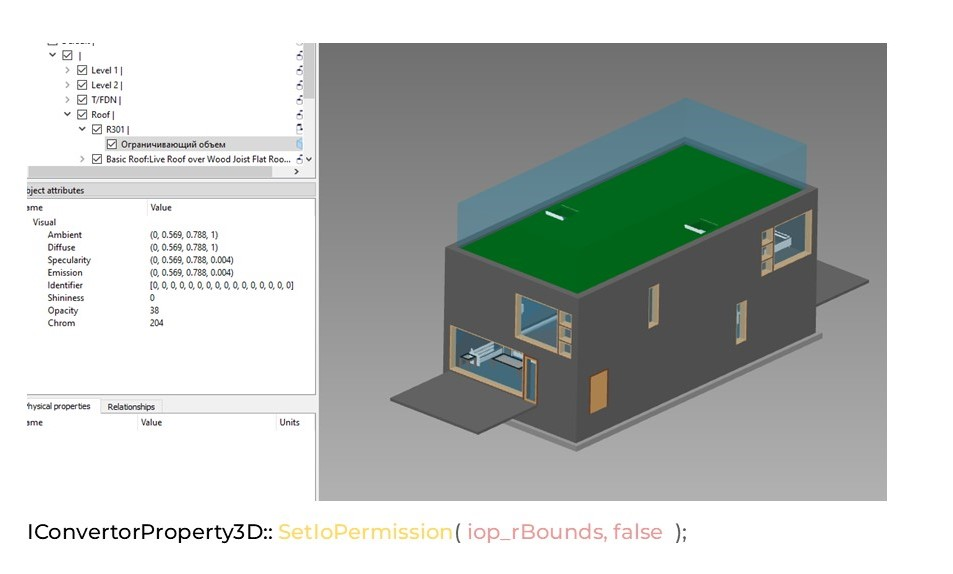
Fig. 5. Bounding box
One more new object type is the bounding box (Fig. 5). It can be a solid, surface, or wireframe. Unlike others, bounding box objects are not part of the building's architectural project. They are used as extra information, for example, to indicate the boundaries of a room or terrace. Bounding boxes can also be imported.
To access all these objects, there are dedicated functions that apply only to a model document. This is an important difference. The ImportFromFile function can load a file into both a model document and MbModel, but the result may vary. In the case of a model document, the structure of the source file is preserved. If we import into MbModel, the hierarchical structure is lost: reusable objects become regular assemblies, grids become curves, and bounding boxes become regular geometric objects. Please refer to Fig. 6 for examples of calling the new functions.
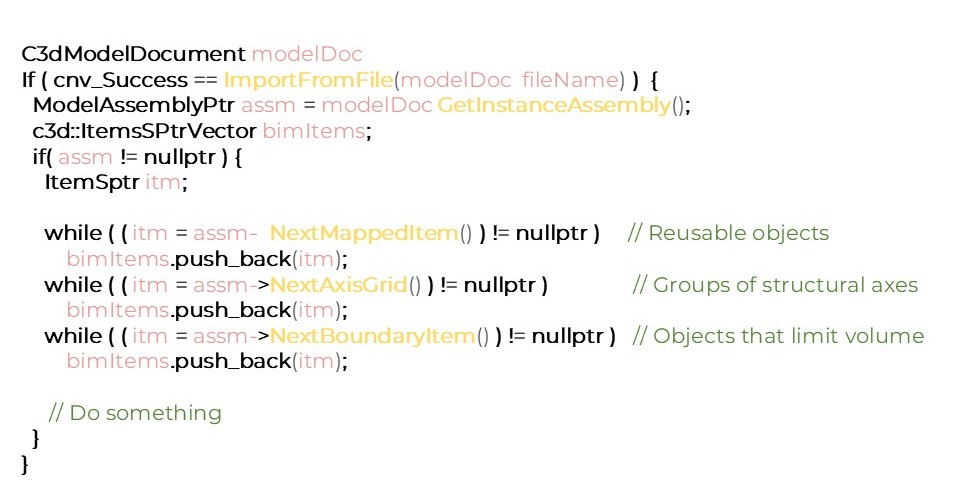
Fig. 6. Examples: New function calls
Another notable aspect of construction CAD formats is metadata. Unlike simple “key-value” attributes common in mechanical engineering, BIM models use a more flexible, complicated structure of properties. Moreover, one model may contain multiple property trees. Now you can access metadata directly from the model document without using an IConverter3D object instance (Fig. 7). We will further expand the metadata functionality following user requests.
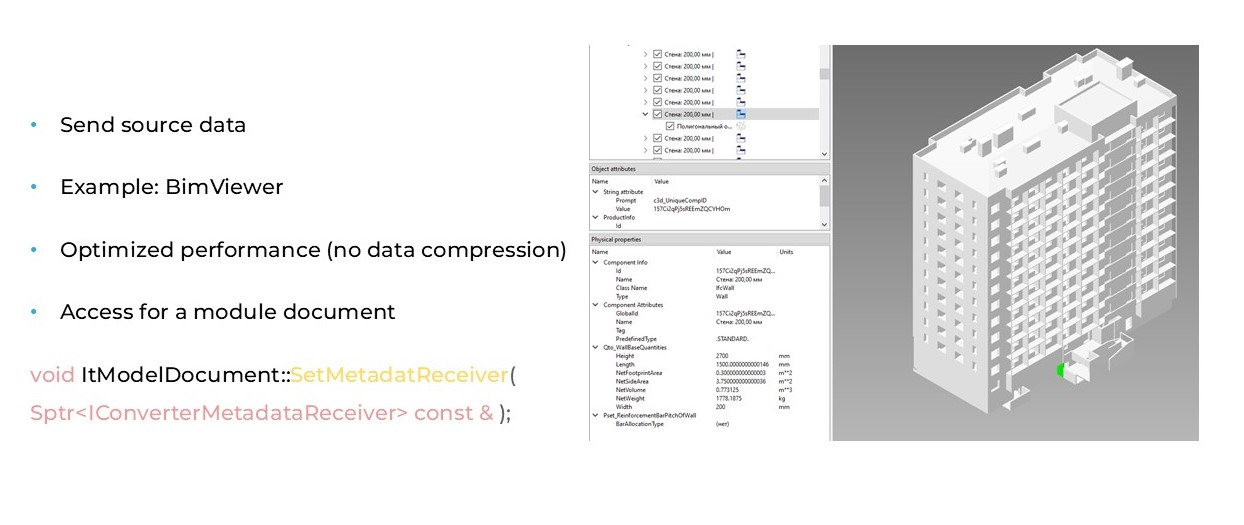
Fig. 7. Metadata operations
There is new functionality for meshes containing topology definitions (Fig. 8). Such meshes can now be imported directly if the option is enabled and a PolyMesh license is available. There is also the option to auto-heal a mesh during import.
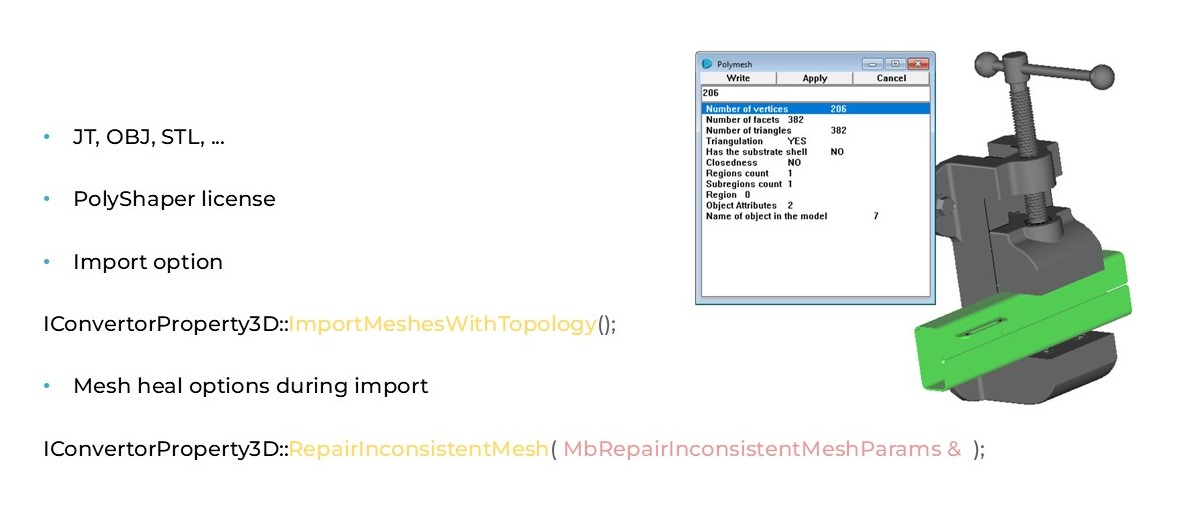
Fig. 8. Importing meshes with topology definitions
More file formats are now supported. You can import binary SAB files. The export is coming soon. Export to 3MF is already available, and import is almost ready. In the future, support for the PLY format will also be added.
Another focus is on handling large models. We are working hard on faster visualization and import, as well as improving import quality and adding new plugins.
Another fast-growing area is the simplified generation of bodies from a source file. This will be especially useful if there is a custom filer reading procedure (for example, for the IFC format). This functionality will be available in future versions.

Ksenia Prokofieva,
Head of C3D Converter Development
C3D Labs