Alexey Yushchenko, Head of R&D, TESIS Group, shares their experience with the integration of the C3D Vision library into the FlowVision CAE system.
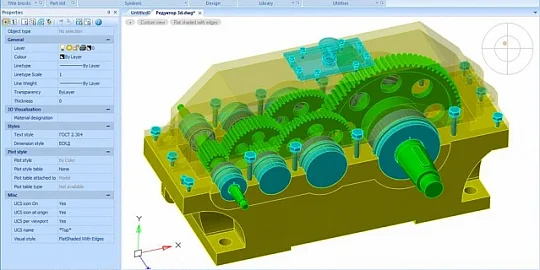
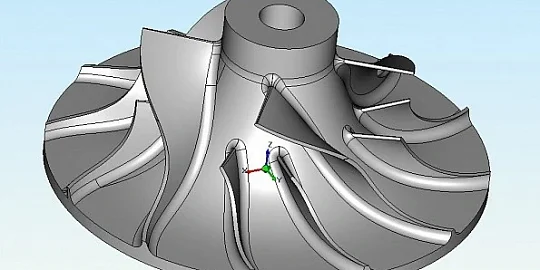
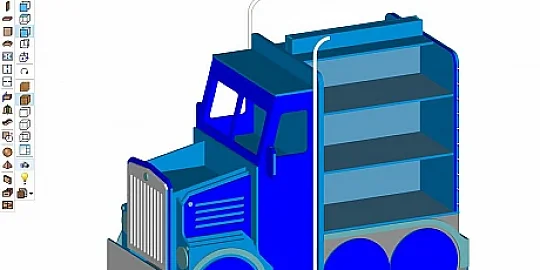
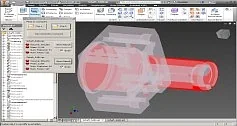
FlowVision is a computer-aided engineering suite. It offers a wide range of multiphysics analysis tools. This is a successful, mature product that has been on the market for more than two decades and is in high demand. The CAE tools have unconventional visualization requirements that go beyond the capabilities of the standard C3D Vision library. C3D Vision was created as a CAD visualization library. FlowVision is a CAE system with specific challenges for its visualization library (fig. 1).

Fig. 1. FlowVision library applications
Before switching to C3D Vision, FlowVision used to have a fairly mature, in-house visualization engine. The engine could render 3D models, cross sections, supported transparency, bounding boxes for object groups, and faceted surfaces (fig. 2). C3D Vision had to support all these capabilities.

Fig. 2. Geometry representation options in FlowVision

Fig. 3. Using the PolygonGeometry class
A typical task is the analysis of surface and body meshes (wireframe mesh representation) and concurrent rendering of the key features, such as surface boundaries. Moreover, the rendered geometry elements should not collide. C3D Vision used to have only the WireframeGeometry class, which did not support rendering priority and styles. In the course of our collaboration, we added a new entity: the PolygonGeometry class. It manages line styles and priorities. For example, it can be configured to display edges on top of other scene elements.

Fig. 4. Hiding the front sides
The PolygonGeometry class can also assign normals to edges, so the FaceCulling function can be used to hide invisible edges in the current view. This is a perfect feature for visualizing internal structures. For example, to view the insides of a cube, the front walls and their edges can be hidden (fig. 4).

Fig. 5. Displaying a FEM mesh over the model
Another important task is the correct visualization of coplanar surfaces. Consider an example: a section of the FEM grid that overlaps the geometry. The coordinates of the mesh and geometry are identical. In such cases, a Z-fighting artifact appears. The reason is that the depth values in the Z-buffer are also identical. To avoid this, C3D Vision now has the SetFaceOffset method. It separates the surfaces along the depth so the selected layer is displayed correctly (fig. 5).

Fig. 6. Viewing the insides of the model
In engineering analysis applications, users often need to look inside an object because key processes occur there (fig. 6). For this, C3D Vision uses so-called face culling, a technology that hides front sides. We apply it to skin segments. This is rarely found in CAD applications, but is commonly used in CAE.

Fig. 7. Double-sided coloring
FlowVision uses color-coded surfaces to represent boundary conditions. Since two different boundary conditions may be applied to the opposite sides of the same surface, the visualization engine should assign a separate color to each side. In the current C3D Vision release, this is implemented by duplicating the surface and applying the FaceCulling method. In future releases, double-sided coloring will be supported out-of-the-box (fig. 7).

Fig. 8. Geometry instancing
To visualize a complete analysis scene, patterns (e.g., mirror patterns) are commonly used. The SceneSegment::Clone method provides so-called "instancing". This approach avoids memory overuse with unnecessary copies of the geometry, while still visualizing the entire scene. For example, in the impeller disk model, only one blade is modeled, and then it is duplicated in a circular pattern around the axis (fig. 8).

Fig. 9. Jet analysis visualization
In some cases, we need to visualize scalar fields such as temperature by applying textures to surfaces (fig. 9). C3D Vision supports color-coded textures and transparency. We can render hot spots as brighter areas and cold spots as darker areas. The user should manually specify the transparency factor for the material (less than 1) so that the engine can render the surface correctly.

Fig. 10. Rendering options
a) Legacy: transparency depends on the rendering order; artifacts occur
b) DepthPeeling: multi-pass rendering, realistic images
c) WeightedBlend: order-independent blending, no artifacts
Recently, C3D Vision has significantly advanced the visualization of transparent objects. Previously, only simple, order-dependent alpha blending was used. It often led to artifacts at the edges of transparent surfaces. Now, more complex and physically correct methods are available. One of them is DepthPeeling, which provides progressive visualization of semi-transparent layers. It avoids issues with incorrect color blending, but consumers more resources. The WeightedBlend mode is a compromise. It gives nearly accurate results at a lower computational cost, but in some cases, minor visual distortions may occur, especially in variable transparency areas (fig. 10).

Fig. 11. Visualization of vector fields
Texturing is also used for vector field visualisation (fig. 11). For example, flow lines are represented as textured cylinders. This provides a clear picture of the direction and features of the flow. If a simpler visualization is required, cylinders are replaced with edges. The texture is mapped to points in the PolygonGeometry object. Colors are specified with the Pen object. This gives an expressive, highly informative, and unclogged scene.

Fig. 12. Ray tracing
Ray tracing over 3D textures is supported to render 3D scalar fields (fig. 12). This is used when a 2D cross-section is insufficient for analyzing the spatial distribution.

Fig. 13. 3D visualization
The C3D Vision library supports custom pixel shaders plugged in with the RenderPostProcess mechanism. The shaders calculate a ray passing through the scene for each pixel on the screen, and the color is accumulated along the way. With this approach, we can visualize, for example, heating areas inside complicated 3D objects: not on a plane, but in the 3D scene (fig. 13).

Fig. 14. Overlays
Quite often, a scene should be overlaid with extra on-screen elements such as legends, captions, or scales. For this, C3D Vision uses ViewWidget. The user pre-loads the image and specifies its screen position (fig. 14). The advantage of ViewWidget is that it is interactive. The user can drag the widget. Note that ViewWidget does not intercept the cursor events. You can, for example, simultaneously rotate the camera using the same buttons. In such cases, the unnecessary handlers are disabled manually while the user is interacting with the widget.
An alternative approach to overlays is RenderScreen. It is a quick and easy tool to draw non-interactive overlays. This is convenient for rendering static or auto-displayed GUI elements. You can display a scale bar, which is auto-updated as the camera moves.

Fig. 15. Particle animation
Real-time animation is an interesting example of a nonconventional application of C3D Vision’s capabilities. In each frame, the geometry of the object is rebuilt, and the paths of particles along the current flow lines are calculated (fig. 15). The FPS is about 60 to provide smooth animation. Although the engine was not originally designed for this, it handles animations confidently. In the future, we are going to optimize such modes for better performance.
Head of R&D
TESIS